


Source: AssetOwnerSharingRule
This object allows to manage the sharing rules for Asset object.
To enable sharing on the Asset object, go to Setup > Assets > Asset Settings:
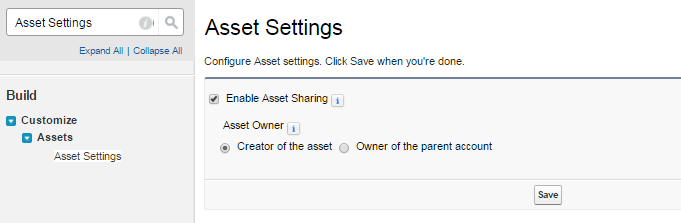
Choose wether the Asset owner will be the object creator of the owner of the parent account.
Now go to Setup > Security Controls > Sharing Settings, change the Asset OWG (Organization-Wide Default) from Controller by Parent to Private or Public Read Only.
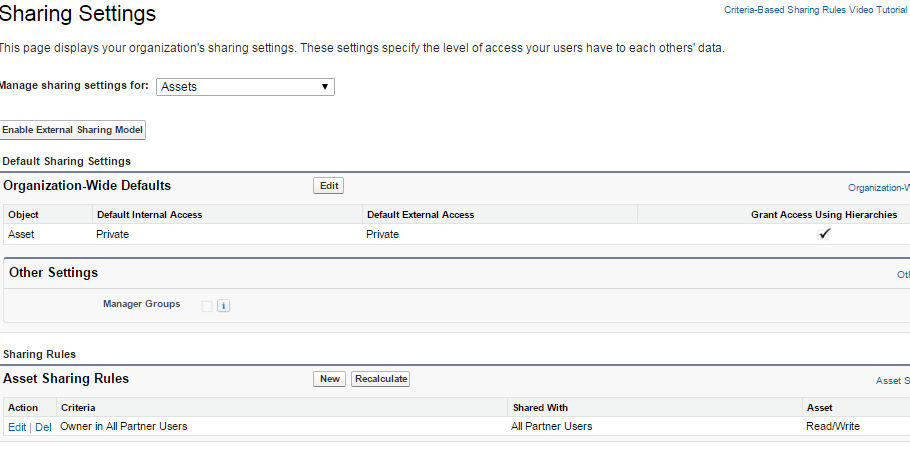
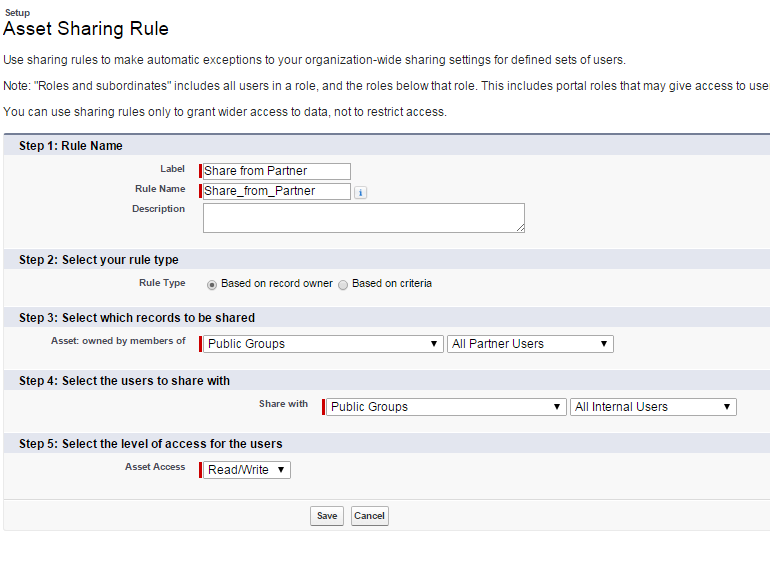
Click the New button on the Asset Sharing Rules to create a new owner based rule:
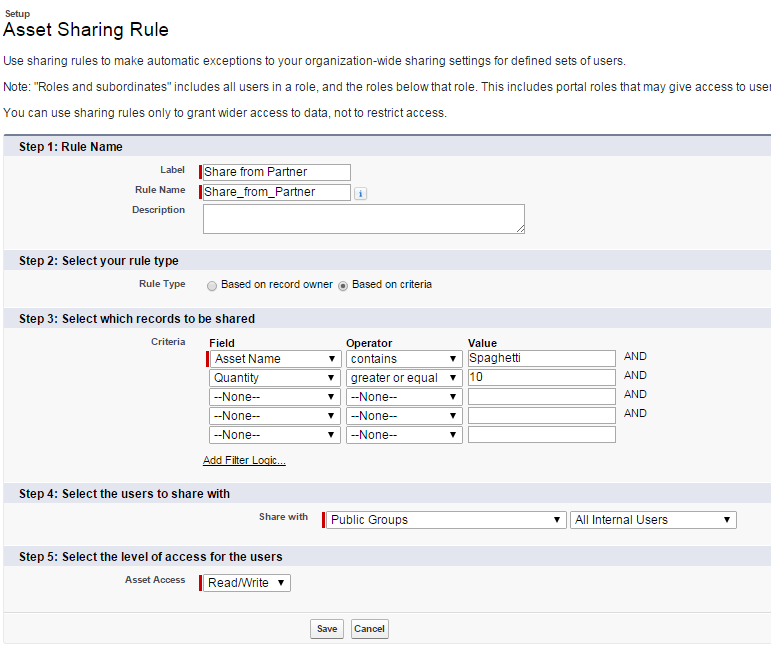
If you select a Rule Type of type Based on criteria you can also set Asset's fields criteria to decide which groups can share the record:
N.B. To enable access to this record, you have to contact Salesforce customer support.
This object allows to manage the sharing rules for Asset object.
To enable sharing on the Asset object, go to Setup > Assets > Asset Settings:
Choose wether the Asset owner will be the object creator of the owner of the parent account.
Now go to Setup > Security Controls > Sharing Settings, change the Asset OWG (Organization-Wide Default) from Controller by Parent to Private or Public Read Only.
Click the New button on the Asset Sharing Rules to create a new owner based rule:
If you select a Rule Type of type Based on criteria you can also set Asset's fields criteria to decide which groups can share the record:
N.B. To enable access to this record, you have to contact Salesforce customer support.
Commenti
Posta un commento